


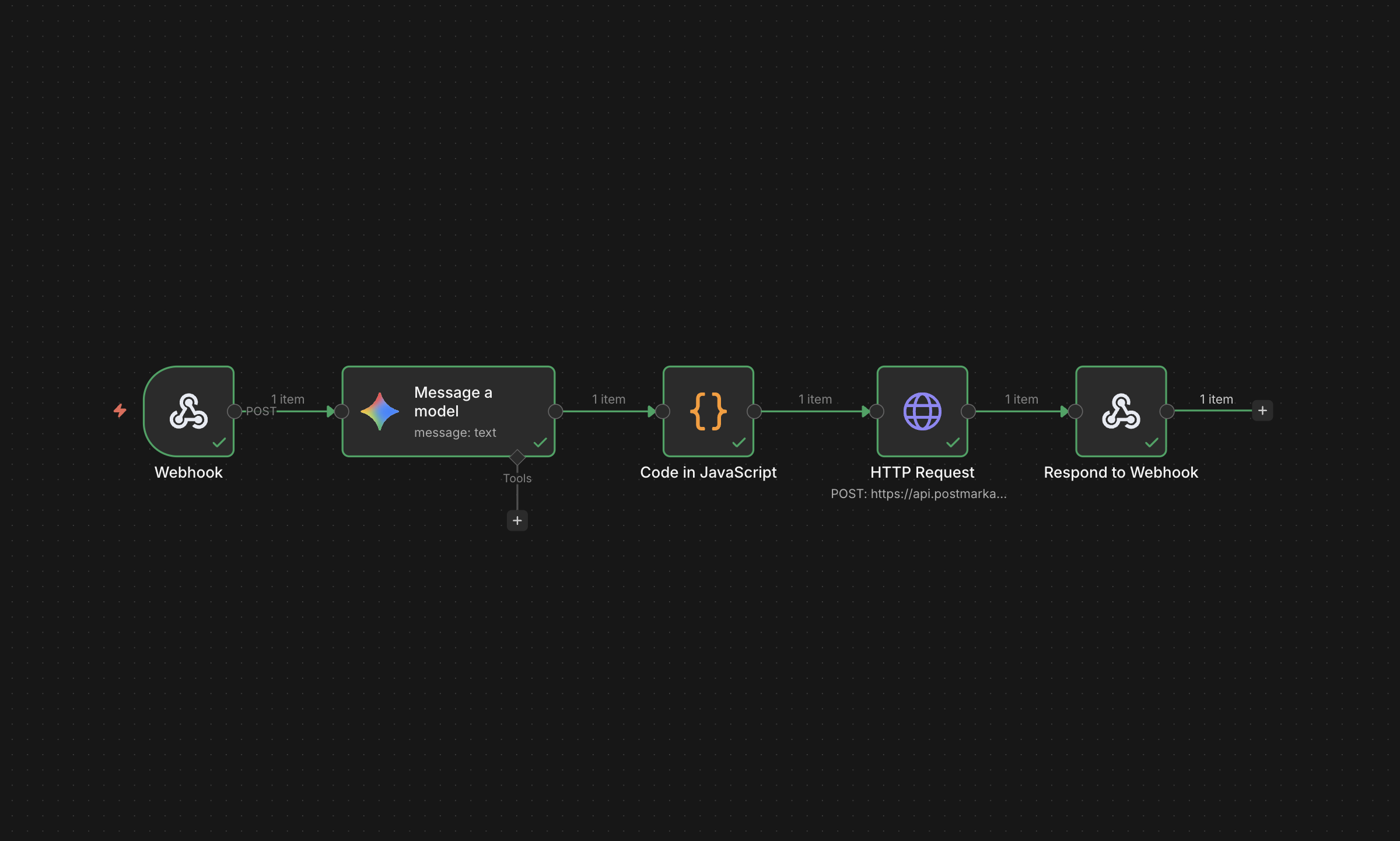
As a small to medium-sized business owner, the most valuable asset for you and your team is time. Yet, it's often consumed by repetitive, manual tasks that, while necessary, don't directly contribute to revenue or serving your clients. The solution isn't to work longer hours, but to work more strategically and leverage automated workflows. By implementing simple automations, you can reclaim your time, reduce human errors, and create a seamless experience for your clients.
1. Lead Nurturing & Client Onboarding
A manual onboarding process can be slow and must be managed closely to avoid the risk of losing high-intent leads. Instead of manually sending welcome emails, links, and intake forms, you can automate the entire sequence.
Setup:
- Your website has a contact form and you have access to adjust the endpoint where the data goes
- You have a local database configured to save data
- APIs have been created for your email provider, CRM, and marketing platforms
Workflow Logic:
Trigger: Client creates an account or submits a contact form on your website
Task 1: A record of the form submission is saved in your database
Task 2: A confirmation email is sent to the submitted email address (Postmark, SendGrid)
Task 3: Client's contact information is used to create records on CRMs or marketing platforms (HubSpot, Mailchimp)
Task 4: A sales representative is notified through an email or slack notification (Gmail, Slack)
This workflow uses APIs to connect your website to the systems and people that drive your intake process, and removes the need for manual effort.
Assumptions:
- 1 hour is spent each day on client onboarding
- Labor costs for an office administrator: $25 per hour
- 22 workdays per month
Estimated ROI: $550 per month / $6,600 annually
2. Payment Management
Collecting payments is critical to all businesses, for obvious reasons, and there are plenty of great options for payment processors. However, managing payments and retainers can be a tedious process and can distract you and your team from providing value to your clients. Automating recurring payments can save you time, money, and headaches with botched payments. In this example I will use Stripe's subscriptions.
Setup:
- Product and price created on the Stripe dashboard
- Stripe API created and stored in backend's environment variables
- Webhooks registered and backend endpoint configured through the Stripe developer workbench
- Database model to store recurring payment data
- Configured backend - automation system (n8n, Zapier) or custom app (FastAPI) to handle API calls and webhooks
Workflow Logic:
Trigger - Client submits initial payment
Task 1 - Stripe API confirms payment information and makes the charge.
Task 2 - Backend uses Stripe API to send client and price information to create a Stripe subscription. Stripe emits webhook events for creating a new subscription
Task 3 - Backend receives the webhook event objects and creates or updates client's payment record on the local database and converts to JSON
Task 4 - Send client / admin payment confirmation notifications
This workflow uses APIs and webhook handlers to create and update billing for recurring payments. Once the backend is configured to manage different types of webhooks this workflow automatically manages subscription upgrades, downgrades, and cancellations.
Assumptions:
- 20 hours per month is spent on billing management
- Labor costs for a bookkeeper: $30 per hour
Estimated ROI: $600 per month / $7,200 annually
3. Automated Email Response Drafting
Most professionals spend 2-3 hours per day responding to emails, which may or may not be for communications critical to your businesses' operations. Answering support emails can consume a considerable amount of time, but implementing an automated workflow to automatically draft reply emails can increase time available to invest in growth-driving activities.
Setup:
- Configured backend - automation system or custom app to handle API calls and webhooks
- API key created and webhooks registered with email provider
- API key created and billing configured for AI provider
Workflow Logic:
Trigger: Support email received in inbox, email provider emits webhook
Task 1: Backend receives webhook, builds AI prompt using email content and model instructions
Task 2: Backend submits prompt to AI model via API, receives the returned generated response
Task 3: Backend uses API to create a reply email containing the generated response
This workflow is event-driven, and leaves drafted email replies for you to review before sending.
Assumptions:
- Each office administrator spends 2 hours per day responding to emails
- Workflows reduce time spent by 80%, saving 1.5 hours per day per administrator
- Labor is $25 per hour per administrator
Estimated ROI: $825 per month, $9,900 per year
Compounded Value Gain
These examples display how time and money can be saved through automations if carefully and intentionally designed. However, the value gained compounds when workflows are implemented across multiple business processes. Combining the three examples in this article results in the following:
Total Time Savings: 75 hours per month / 900 hours annually
Total Money Savings: $1,975 per month / $23,700 annually
This time and money value gained in this very simple example could provide incredible leverage and opportunity for a growing SMB. When designing your workflows, it's critically important to work with an automation specialist that can identify realistic opportunities for streamlining processes before implementation.
If you are thinking about automations in your business, feel free to reach out to me to discuss your options.